
Public Relations & Comms Lead: macOS System-Audio Video Call Copilot (Zero Bots)
Practical daily workflow guide for a Public Relations & Comms Lead (Corporate Communications) running macOS System-Audio Video Call Copilot (Zero Bots) in Realtime Assistant across iPhone, iPad, and Mac.
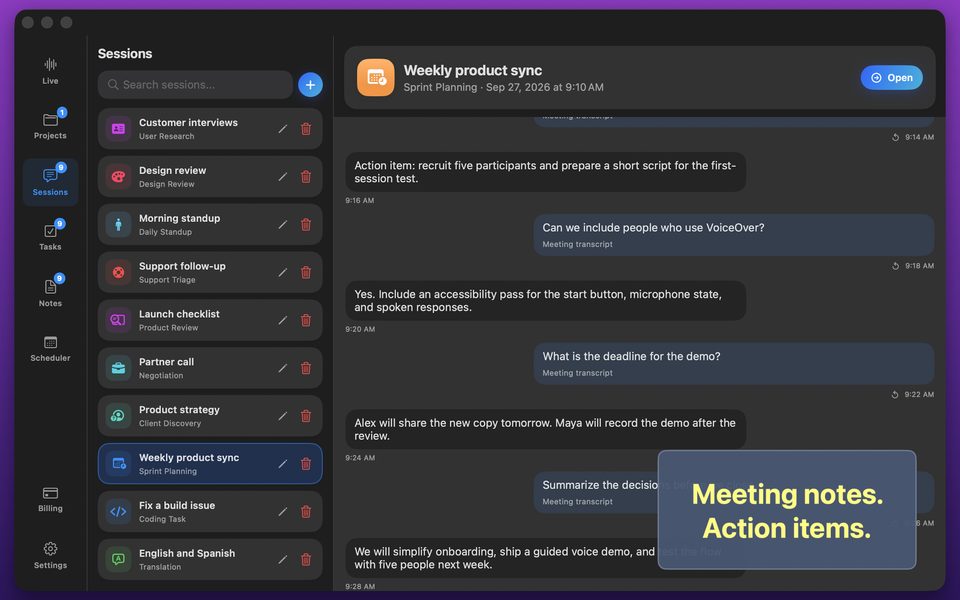
A busy Public Relations & Comms Lead cannot afford to pause a live conversation to type prompts into a chatbot. Realtime Assistant (id6770536523) listens while the session runs, pairs a live transcript with instant answers, translates 58 languages both ways, and captures tasks on-device.
1. How a Public Relations & Comms Lead Runs "macOS System-Audio Video Call Copilot (Zero Bots)"
| Workflow Step | What the Public Relations & Comms Lead Does | How Realtime Assistant Responds Live |
|---|---|---|
| 1. Select Project & Template | Opens the relevant client or internal Project and picks one of the 17 session templates (or custom instructions). | Loads role instructions, priority task board, and response length (Brief, Balanced, or Detailed). |
| 2. Stream Live Audio & Vision | Speaks naturally (or captures Mac system audio / attaches a photo or window screenshot). | Transcribes every spoken sentence and grounds answers in the attached visual context. |
| 3. Steer with Natural Barge-In | Interrupts the assistant by speaking whenever the conversation shifts direction. | Stops speaking immediately and adapts to the new turn—or translates both ways across 58 languages. |
| 4. Pin Tasks & Reminders | Taps key assistant answers to add them to the Project Task Board with due dates and scheduler reminders. | Saves tasks, comments, and transcripts locally on the device with zero cloud sync exposure. |
2. Cloud Credits vs Apple Silicon Offline Mode for Public Relations & Comms Leads
| Session Mode | Best For | Cost & Privacy Details |
|---|---|---|
| Cloud Realtime API (iPhone, iPad, Mac) | Spoken voice responses, 58-language two-way spoken translation, and mobile sessions. | Included in the $9.99/mo plan (2,000 monthly credits; ~85 credits/min for two-way translation). |
| Local Whisper + Qwen 3 8B (Apple Silicon Mac) | Confidential corporate communications calls and unlimited daily desk sessions. | Downloaded once in Settings; runs 100% on-device on your Mac for 0 credits/min (text answers). |
Related Real-Time Voice Assistant Use Cases
Frequently Asked Questions
Post-call recorders only give you notes after the meeting is over. Realtime Assistant helps a Public Relations & Comms Lead while the conversation is still happening—answering questions beside the live transcript, translating 58 languages aloud, and analyzing screenshots on the spot.
No. Sessions, transcripts, tasks, and notes are stored strictly on your device with no cloud sync. During cloud sessions, audio goes directly from your device to OpenAI's Realtime API; on Apple Silicon Macs, local Whisper + Qwen sessions never leave your Mac.